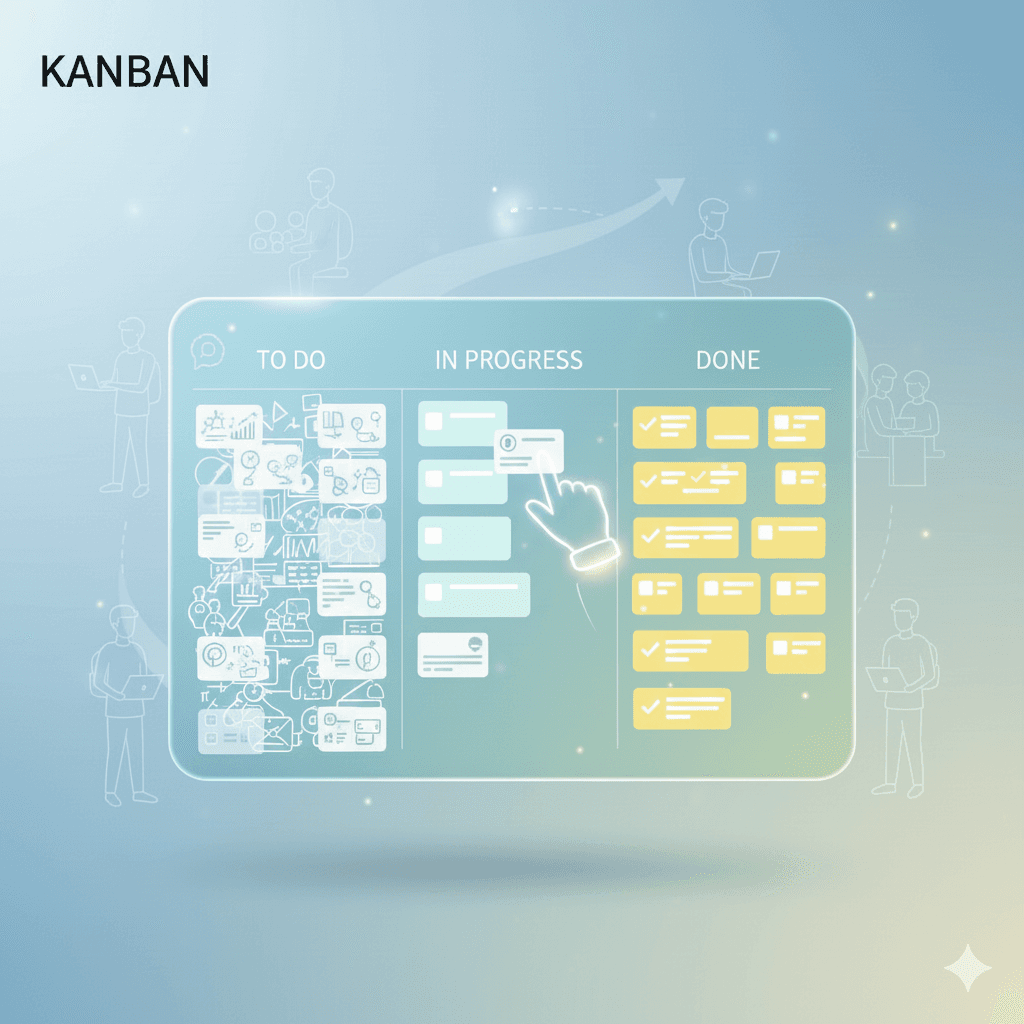
Kanban is a method for managing work by making every task visible on a board. Each task becomes a card, each column is a stage the work passes through, and a card moves right as it progresses. The word is Japanese for "signboard", and the method came off Toyota's factory floor decades before software teams picked it up.
Nothing about it requires a particular tool or a certificate. A whiteboard with sticky notes is a Kanban board. A text file with three headings is not, because you lose the one thing that makes the method work: seeing the whole workload at once.
What a Kanban board actually is
A board has two parts. Columns describe the stages your work moves through. Cards describe the individual pieces of work.
The simplest useful board has three columns:
To Do | Doing | Done
If you prefer the phrase Kanban chart, it usually means the same visual work board: tasks represented as cards and arranged by the stage they are in. The label matters less than the behaviour. A useful chart makes waiting work visible and gives you a clear next action.
A card starts in To Do. When you begin it, you drag it to Doing. When it is finished, it goes to Done. That is the whole mechanic, and it repays resisting the urge to add more columns until you have lived with it for a week.
The value comes from what the board tells you without being asked. A To Do column holding forty cards says you have committed to more than the week can hold. A Doing column holding nine says you are switching between tasks rather than finishing them. Neither fact is visible in a list, because a list has no shape.
Where Kanban came from
Toyota developed Kanban in the late 1940s as a scheduling system for car production. A physical card travelled with a batch of parts and signalled the station upstream to make more. Nothing was built until a card asked for it, which kept inventory low and made shortages visible the same day they happened.
Software teams borrowed the idea around 2007 and kept the two parts that transfer to knowledge work: make the work visible, then limit how much of it runs at once. Atlassian's Kanban guide covers the industrial history in more depth than a beginner needs, and it is accurate.
Writing a card that works
A good card names something you could finish and tick off. "Website" is not a card. "Write the copy for the pricing page" is.
Cards that sit in Doing for a week are usually too big. Split them where the work changes character:
- "Research three hosting options" then "Pick one and sign up"
- "Draft the quarterly report" then "Edit the quarterly report"
- "Fix the login bug" then "Write a test that catches it next time"
The test is whether you can picture moving the card to Done in one sitting. If you cannot, the card is a project wearing a card's clothes.
The rule most beginners skip
Limiting work in progress is the part of Kanban that changes behaviour, and it is the part people leave out. A limit caps how many cards may sit in a column at one time. Three cards in Doing means the fourth waits until one of them moves.
This feels restrictive for about two days. Then it starts answering a question you used to answer badly, which is what to do next. With a limit in place the answer is usually "finish something", and that was the answer you wanted. WIP limits explained covers how to pick a first number and what to do when a column fills up. Choosing between a board and a timeline is a different question, covered in kanban vs Gantt.
Set up your first board in five minutes
- Make three columns named To Do, Doing and Done.
- Write down everything currently on your plate, one card each. Do not filter yet.
- Move the things you are genuinely working on right now into Doing.
- Count the cards that ended up in Doing. That number is your real work in progress.
- Set a limit one below that number and hold it for a week.
Step 4 is where the board earns its place. Most people are surprised by the count, and the surprise is the useful part.
You can open a kanban board without registration and have this standing before you finish the article. There is no setup wizard to get through first.
Kanban with one person
Most descriptions of Kanban assume a team, which puts solo users off a method that suits them well. On a personal board the columns stop being handoffs between people and start being states of attention.
A three-column board works unchanged. What changes is the limit: one or two cards in Doing, because a person cannot pair with themselves to clear a queue. The board then acts as a commitment you made to yourself when you were calmer than you are on Thursday afternoon.
A weekly habit helps more than any column layout. Five ways to organize your week with a kanban board covers the planning ritual that makes a personal board survive past the first fortnight.
What Kanban does not do
Kanban has no sprints, no estimates and no assigned roles. Some teams want those, which is why Scrum exists. Kanban gives you a picture of the work plus a constraint on how much runs at once, then leaves the rest of your process alone.
It also will not make an overloaded week smaller. It shows you the overload earlier, which is usually while you can still renegotiate something.
Frequently asked questions
What does the word Kanban mean?
Kanban is Japanese for "signboard" or "visual signal". The name refers to the physical cards Toyota used to signal that a station needed more parts. In modern use the word covers both the board itself and the wider method of visualising work and capping how much runs at once.
How many columns should a Kanban board have?
Three is the right starting number for almost everyone. To Do, Doing and Done cover the states most work passes through. Add a column only after you notice cards waiting in a stage the board cannot show, such as work sitting in review. Boards decay when columns are added speculatively.
Is Kanban only useful for software teams?
No. Kanban started in car manufacturing and works for any process with stages and a queue. Students track assignments with it, freelancers track client deliverables, and households track renovations. The method cares about flow of work, not about what the work happens to be.
How is a Kanban board different from a to-do list?
A list shows what you have not done. A board shows what stage everything is in, which surfaces the pile of half-finished work a list hides completely. The second difference is the limit on work in progress, which a list has no way to express or enforce.
Do I need a WIP limit to start using Kanban?
Not on day one. Set up the three columns first and use them for a week, then count how many cards you keep in Doing. That count gives you an honest starting limit. Adding a limit before you know your own baseline usually produces a number you ignore.
Related reading
- WIP limits explained: a practical Kanban guide
- A simple Kanban system to reduce overwhelm
- Kanban for students: assignments and study tasks
The method is smaller than the writing about it suggests. Three columns, honest cards, and a cap on how much you run at once will carry you a long way before you need anything more.