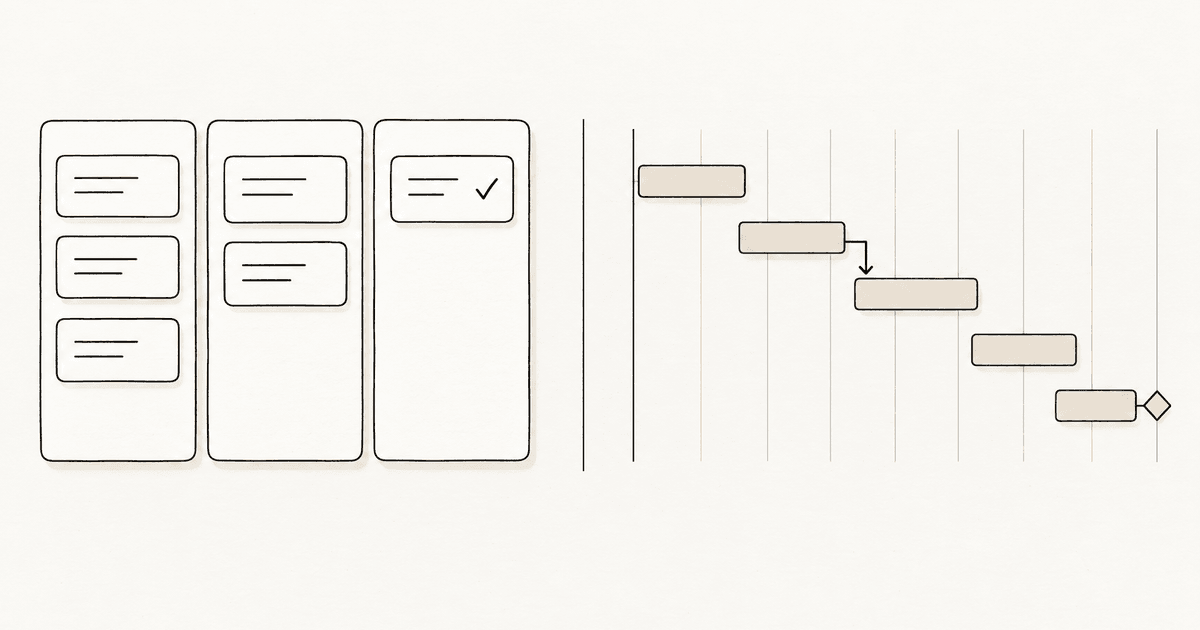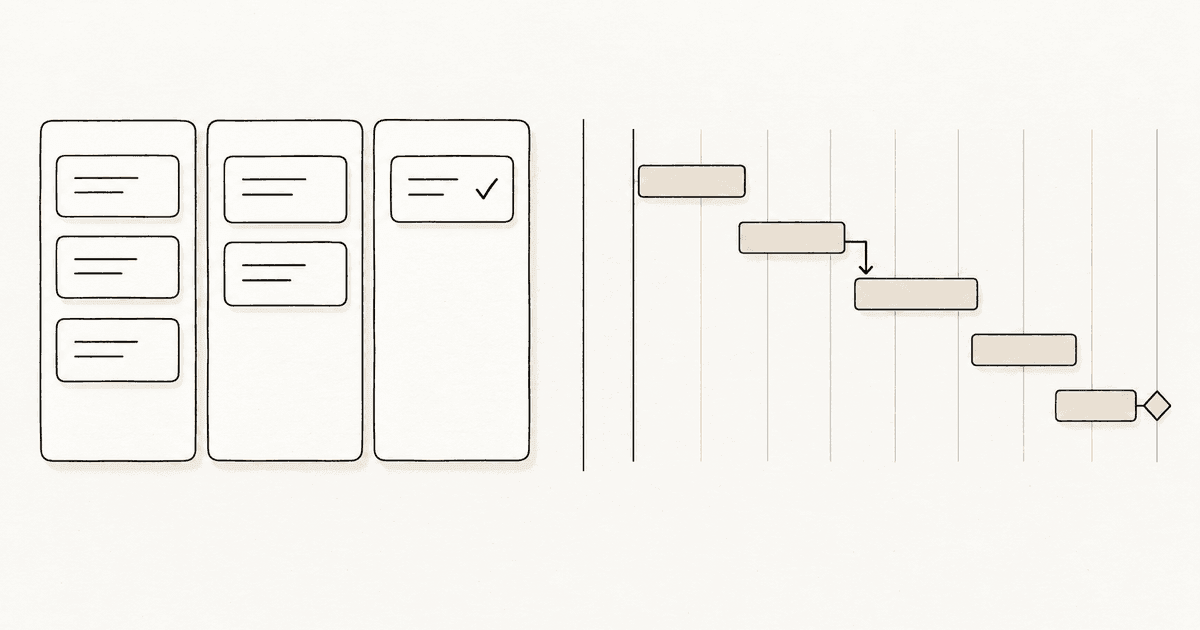
Kanban vs Gantt comes down to one question: do you need to see what is happening now, or what has to happen by when? A kanban board shows work moving through stages, so it answers "what are we doing and what is stuck". A Gantt chart lays tasks on a timeline with dependencies, so it answers "will we finish on the date we promised". Most small projects need the first, and only projects with hard deadlines and chained tasks need the second.
They are not rivals. They answer different questions, and the mistake is using one to answer the other's.
What is the difference between kanban and a Gantt chart?
A kanban board is a set of columns, usually something like To do, Doing and Done, with a card for each piece of work. You move cards to the right as they progress. It has no time axis. A card can sit in Doing for an hour or a month and the board looks the same.
A Gantt chart is a bar chart on a calendar. Each task is a bar, its length is its duration, and arrows show which task has to finish before another can start. Its subject is time. The Gantt chart is more than a hundred years old and was built for scheduling work in factories and construction.
| Kanban board | Gantt chart | |
|---|---|---|
| Main question | What is in progress and what is stuck? | What is due when, and what depends on what? |
| Shape | Columns of cards | Bars on a calendar |
| Time | Implicit, you see it as cards ageing | Explicit, every task has start and end |
| Dependencies | Not shown | Shown as links between bars |
| Change | Reorder a card in seconds | Moving one bar can shift many others |
| Best for | Ongoing work, small teams, personal tasks | Fixed deadlines, chained tasks, handovers |
When should you use a kanban board?
Use kanban when work arrives continuously or in no fixed order. Support requests, content, a freelancer's client work, a developer's bug list and your own to-do list all fit. The point is flow: limit what is in progress, finish before you start, and spot the column where cards pile up. If that sounds new, what is kanban covers the basics in a few minutes, and WIP limits explained shows the one rule that does most of the work.
Kanban is also forgiving. If priorities change on Tuesday you drag a card to the top. Nobody has to redraw a plan.
When should you use a Gantt chart?
Use a Gantt chart when the dates are fixed and the tasks depend on each other. Building a house, a product launch with a trade show date, an event, a migration with a freeze window: in all of these the question is not "what should I do next" but "if the permit slips a week, what else slips".
A Gantt chart is good at exactly that. It shows the critical path, the chain of tasks that sets the end date, and it makes a late task visible before it becomes a late project.
Where does each one break?
Kanban breaks on dependencies and dates. Two cards in Doing may look equal while one blocks the other, and the board will not tell you. A board also cannot say whether you will hit a deadline, only how much is in each stage.
A Gantt chart breaks on change and effort. Someone has to keep it updated, and a chart that is two weeks stale is worse than none because it looks authoritative. It also pretends work is predictable. For a team that gets new requests every day, the chart is out of date by lunch.
A common sign you picked the wrong one: you keep adding "due" notes to kanban cards until the board is a bad calendar, or you keep a Gantt chart nobody opens.
Can you use kanban and Gantt together?
Yes, and many teams do. The usual split is:
- Plan at a coarse level with a timeline: milestones, the launch date, who hands over to whom.
- Run the day-to-day on a kanban board, with the cards cut from those milestones.
The timeline stays small, a handful of milestones rather than every task, so it is cheap to keep right. The board carries the detail and the changes.
You can also approximate a timeline on a board without a second tool. Give cards a due date, add a column for the next milestone, or run a column per month for a long project. It will not draw dependencies, but for a solo project or a team of a few people it is often enough. Kanban board examples has column layouts you can copy.
Do you need a Gantt chart for a small project?
Usually not. If you have fewer than about ten tasks that depend on each other, a list with dates, or a kanban board with due dates, does the job, and you save the time a chart costs to maintain. Ask a plain question: if one task slips, can I tell what else is affected just by thinking about it? If yes, you do not need a chart. If the answer needs a pen and paper, you probably do.
To be straight about our own tool: EasyKanban is a kanban board. Cards can carry a due date, but there is no Gantt view and no dependency arrows, and we do not plan to pretend otherwise. If your project is mostly a chain of dated tasks, use a scheduling tool for that part. If most of your work is a flow of things to start and finish, a minimal kanban board is the lighter choice, and the free plan includes three boards with unlimited cards.
Frequently asked questions
Is kanban better than a Gantt chart?
Neither is better, they answer different questions. Kanban shows the state of work in progress and suits flexible, continuous work. A Gantt chart shows the schedule and dependencies and suits fixed deadlines. Choose by whether your main risk is stuck work or a slipping date.
Can kanban replace a Gantt chart?
For small projects, often yes. Cards with due dates and a column per milestone cover most needs. For projects where tasks depend on each other and the end date is fixed, kanban cannot replace a Gantt chart, because a board does not show dependencies or the critical path.
What is the main disadvantage of a Gantt chart?
Upkeep. A Gantt chart is only useful while it matches reality, and every change in scope or dates means editing bars and dependencies. For fast-changing work the chart goes stale quickly, which makes it misleading.
Can you add a Gantt view to a kanban board?
Many large tools offer a timeline or Gantt view on top of a board. Simpler boards, including EasyKanban, do not. You can approximate one with due dates and milestone columns, or keep a short milestone timeline in a separate document.
Which is better for agile teams, kanban or Gantt?
Agile teams usually prefer kanban, because it handles changing priorities without replanning. They may still keep a rough timeline for releases. For the wider picture see kanban vs agile.
Conclusion
Pick kanban to manage flow and Gantt to manage a schedule. If your work is a stream, start with a board of three columns and one limit on Doing. If you have a fixed date and a chain of dependent tasks, add a short timeline on top. Do not make one tool carry the other's job.