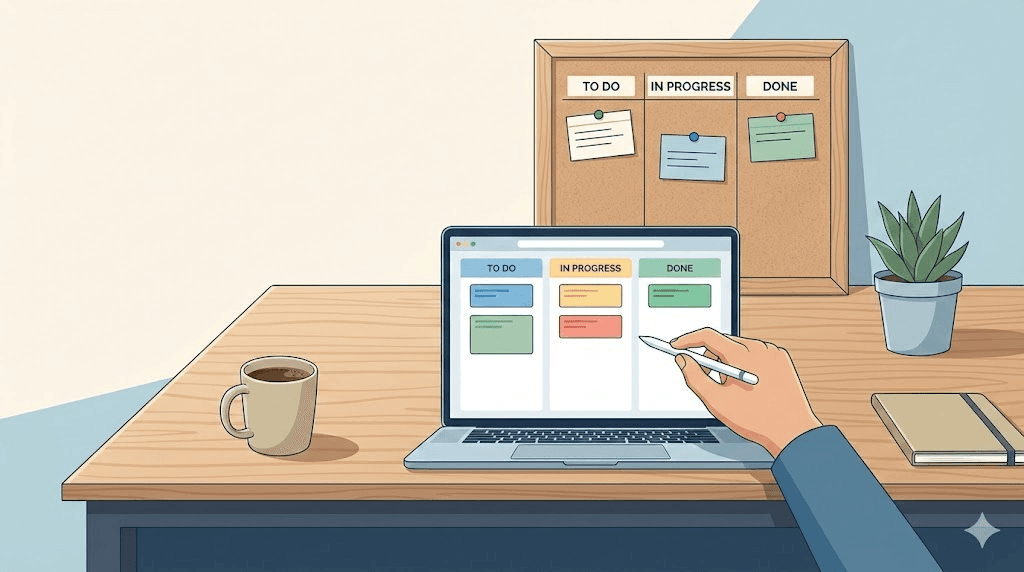
As a freelancer, you're the project manager, account manager, and coordinator, all while doing the actual work. Complex project management systems often create more work than they solve. Minimalist project management is the opposite bet: keep the system small enough that it never competes with the work.
The secret successful freelancers know: simpler systems mean more time for billable work.This guide shows you how to build a freelancer kanban workflow that manages multiple clients in 5 minutes of setup and requires virtually zero maintenance.
Why Traditional Freelance Project Management Fails
You're juggling:
- 3-5 active clients simultaneously
- Multiple projects per client
- Different completion stages
- Client communication and expectations
- Invoicing and administrative tasks
- Business development for future work
Traditional project management software is overkill. Sticky notes and notebooks get chaotic fast.
You need a freelance client management system that's simple enough to keep up with on a busy week, and complete enough that nothing slips through the cracks.
The One-Board-Per-Client Kanban System
Here's the foundation: One kanban board for each client.
Why this freelance workflow system works:
- Mental separation: Each client has dedicated space, so there is no context switching
- Easy transparency: Share board links directly with clients
- Clear context: Know exactly what each board contains at a glance
- Scalable growth: Add new boards as you acquire clients
The Three-Column Structure
Each client board uses just 3 columns:
- To Do: tasks that need completion
- In Progress: what you're actively working on
- Done: completed work (visible client progress)
No complex workflows. No custom fields. No overwhelming setup.
This is minimalist freelance productivity at its finest.
How to Set Up Your First Client Board (5 Minutes)
You can create a kanban board without registration and follow along right now, no account needed.
Step 1: Name Your Board Clearly
Use descriptive names: "Acme Corp - Website Redesign"
"Acme" or "Website" alone will not do. You need instant context.
Step 2: Brain Dump All Client Tasks
Add everything for this client:
- Discovery call notes
- Design deliverables
- Content creation
- Technical setup
- Invoicing milestones
Put everything in "To Do."
Step 3: Prioritize Current Work
Move this week's priorities to the top. Everything else waits below.
Step 4: Start Working
Move 1-2 tasks to "In Progress", only what you're working on today.
Step 5: Share the Board (Optional)
Generate a share link and send to your client:
> "Hi Sarah, here's our project board: [link]. You can track what's in progress and what's completed. I'll keep this updated throughout our project."
Clients appreciate this transparency. It answers "what's the status?" without constant emails.
Managing Multiple Clients with Kanban
Here's how to handle 3-5 active clients without overwhelm:
Monday Morning Planning (10 Minutes)
- Open all client boards
- Move completed tasks from last week to "Done"
- Review each "To Do" column
- Identify this week's priorities per client
- Move priority items to "In Progress"
Your weekly roadmap is set.
Daily Workflow Rhythm
Morning:- Review boards
- Choose which client gets focus today
- Work through their "In Progress" tasks
- Update boards with progress
- Move completed items to "Done"
- Add new tasks as they emerge
- Quick board review
- Note tomorrow's priorities
- Close laptop guilt-free (everything's tracked)
Simpler Client Communication
Replace constant status emails with:
> Client: "What's the status on the website?" > > You: "Check our board! Three items completed this week, homepage design is in progress."
The kanban board handles communication for you.
Advanced Techniques for Freelance Kanban Boards
Once you've mastered basics, add these enhancements:
1. Time Estimates for Better Planning
Add rough estimates to tasks:
- "Homepage design (4h)"
- "Client feedback review (1h)"
- "Invoice (15min)"
Benefits:
- Realistic weekly planning
- Overcommitment awareness
- Actual vs. estimated time tracking
2. Simple Deadline Tags
Use text-based deadline reminders:
- "[DUE: Dec 15] Homepage design"
- "[DUE: Friday] Client review"
No complex date fields needed, just visual clarity.
3. Add a "Waiting" Column
Create a fourth column for blocked items:
- Client feedback needed
- Third-party dependencies
- Approval required
This clears mental space. You are not forgetting. It is just blocked.
4. Create Template Boards
Build a standard workflow template:
- Onboarding call
- Contract signed
- Deposit received
- Discovery phase
- Design/development phases
- Client review and revisions
- Final delivery
- Invoice sent
Copy this template for new clients. Instant structure.
Common Freelancer Scenarios Solved
Managing Multiple Projects per Client
Challenge: One client has a website redesign AND monthly content. Solution: Use card prefixes:- "[WEB] Homepage design"
- "[CONTENT] Blog post #3"
- "[WEB] Mobile optimization"
- "[CONTENT] Social graphics"
Same board, visual filtering.
Handling Recurring Retainer Tasks
Challenge: Monthly retainer clients with repeating deliverables. Solution: Keep a "Recurring" section at bottom of "To Do":- Monthly blog posts (4/month)
- Social media management
- Analytics reports
Move them up monthly as needed.
Tracking Slow Client Responses
Challenge: Waiting on client feedback for weeks. Solution: Move to "Waiting" with notes:- "[BLOCKED] Homepage review - waiting since 12/1"
Documents that delays aren't on you.
Managing Scope Creep
Challenge: "Hey, can you just quickly..." Solution: Add to their "To Do":- Quick logo tweak
- Footer text update
- Mobile fix
Now you can:
- Show what's already queued
- Prioritize together ("This delays X, okay?")
- Document scope changes
Don't Forget Your Own Business
Create a "Business Operations" board:
- To Do | In Progress | Done
Track:
- Marketing efforts
- Portfolio updates
- Networking
- Skill development
- Admin tasks (accounting, taxes)
Treat yourself like a client. Your business needs attention too.
The Minimalist Freelance Productivity Stack
Complete toolkit for freelancers:
Project Management: One kanban board per client (EasyKanban works perfectly) Time Tracking: Simple tracker (Toggl, Harvest) or spreadsheet Invoicing: Wave, FreshBooks, or templates Communication: Email + one messaging app (Slack/WhatsApp) File Storage: Google Drive or Dropbox That's it. You don't need:- Complex PM software
- 15 different integrated tools
- Integration nightmares
- Hours maintaining your system
Real Benefits of This Approach
This minimalist kanban system delivers:
1. Mental Clarity
Know exactly what you're working on per client. No chaos, no "what's next?" paralysis.
2. Client Transparency
Clients see progress. They stop asking "what's happening?" because they can check themselves.
3. Scope Protection
Everything is visible. When clients request "just one more thing," you show them the queue.
4. Time Freedom
Spend 10 minutes weekly on project management instead of hours. That's reclaimed billable time.
5. Stress Reduction
Nothing falls through cracks. It's all on the boards. Your mind can rest.
Mistakes to Avoid with Freelance Kanban
1. Over-Organizing
Don't create boards for every tiny detail. One board per major client is enough.
2. Obsessive Updating
Update when tasks change, not every 5 minutes. Tools serve you, not vice versa.
3. Tool Hopping
Pick one system, commit for 3 months minimum. Constant switching wastes time.
4. Adding Complexity
Resist custom fields, automations, and elaborate workflows. Simple works.
5. Inconsistent Use
The system only works with consistent use. Make board updates a daily habit.
What Is Worth Tracking, and What Is Not
Focus on what matters:
Worth the five minutes:- Know today's work priorities
- Track client blockers
- Show clients progress
- Complex integrations
- Granular time tracking
- Perfect categorization
- Fancy dashboards
Keep the first list. Everything else is optional.
Your Action Plan to Start Today
Today (15 minutes):- Create a kanban board for your biggest client
- Add all their tasks to "To Do"
- Move current work to "In Progress"
- Use it actively (move tasks as you work)
- Add one completed task to "Done"
- Notice the satisfaction
- Create boards for remaining clients
- Establish Monday morning ritual
- Share one board with a client
- Evaluate what's working
- Adjust as needed (keep it simple)
- Enjoy more time for billable work
Why Kanban Works for Freelance Client Management
As a freelancer, time equals money. Every minute on "project management" is unbillable time.
The minimalist kanban approach provides:
- Sufficient structure to stay organized
- Not so much complexity that it becomes another job
- Transparency clients genuinely appreciate
- Peace of mind that nothing's forgotten
That's all you need for effective freelance project management.
FAQ
What is minimalist project management?
Running client work with the smallest system that still answers "what is going on". In practice that is one board per client, three columns, and a short weekly review. No custom fields, no automations, no reporting layer to keep fed.
Is one board per client better than one board for everything?
For most freelancers, yes. A single board mixes deadlines from different clients, so you re-read every card to find today's work. Separate boards also let you share one client's board without exposing the others.
How much maintenance does this system need?
Five minutes a week, plus moving cards as you work. If it starts taking longer, the board has grown structure it does not need. Delete that structure rather than working around it.
Do clients actually look at a shared board?
Some do, most do not. The value is that "what is the status" now has an answer you already keep updated, instead of an email you write from scratch every time.
Ready to try this system? Start with EasyKanban. One board per client, simple 3-column setup, shareable links. Free with 3 boards and unlimited cards, or €6/month for unlimited boards.